Website strategy
How Many Pages Does a Trade Contractor Website Actually Need
The right page count for a trade contractor site depends on your services and towns, not a fixed number. Here is how to work it out for your trade.
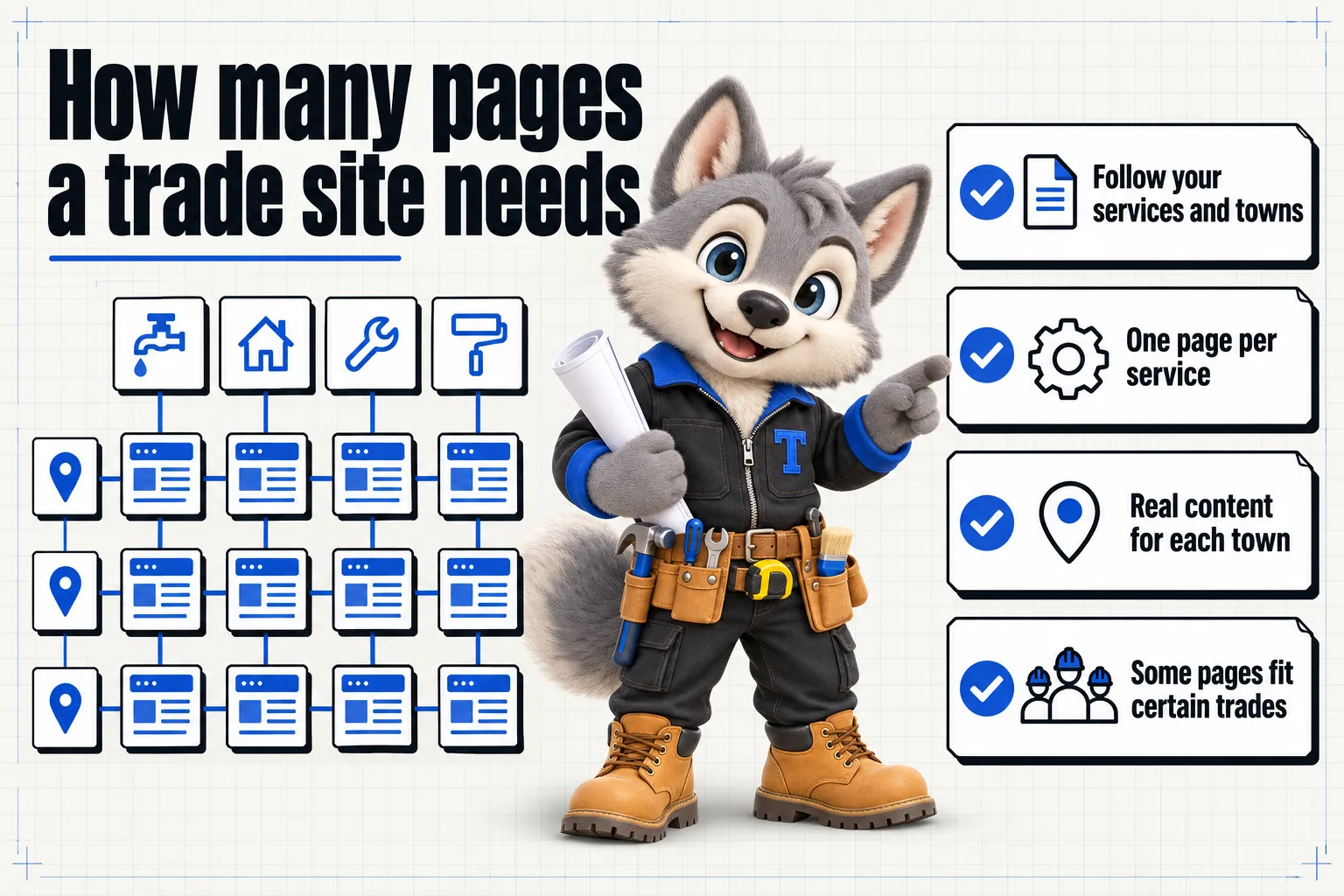
A trade contractor website needs one page for every service you genuinely offer, one page for every town or county you genuinely serve, and a handful of standard pages: home, about, contact and a quote request page. There is no fixed magic number. A single-service electrician covering three towns might need twelve pages total. A multi-service landscaping company covering a dozen towns might need eighty. Both are correctly sized, because the count follows the business rather than a template.
Why the page count question matters more for trades than most businesses
A restaurant website mostly needs a menu, hours and a location. A trade contractor site is different because the buying decision has two dimensions instead of one: what job does the visitor need done, and where do they need it done. A homeowner searching “panel upgrade” and a homeowner searching “electrician in [their town]” are both looking for the same business, but neither search is well served by a single homepage trying to answer both questions at once.
That two-dimensional nature is exactly why a generic six-page contractor template underperforms for a trade business. It was built for a business with one service and one location in mind, and most trade contractors have several of each. The page count problem is really a page architecture problem: build the grid of service times location that matches your actual business, and the count takes care of itself.
The core pages every trade contractor site needs
Regardless of trade, a handful of pages appear on almost every build.
Home, about and contact
The home page introduces the business and points toward the services and towns that matter most. The about page covers licensing, insurance, years in business and anything that builds trust before a first call. The contact page gives a phone number, an email and, ideally, a short form, since a contact page that is only a phone number and an address makes visitors work harder than they should.
None of these three pages needs to be long. A home page that tries to explain every service in full is doing the service pages’ job badly instead of its own job well, which is orientation: tell the visitor in a few seconds that they are in the right place, then send them to the specific page that answers their actual question. An about page that lists a license number without explaining what it covers misses a chance to build trust; one that spends three paragraphs on company history before mentioning licensing buries the one thing a nervous first-time caller is actually looking for.
The quote request page, and why it is not just a contact form
A trade contractor site benefits from a page, or at minimum a prominent form, built specifically around requesting a quote rather than a generic “send us a message” contact form. The difference matters because the information needed to size a job differs by trade: a plumber needs to know whether it is an emergency, an electrician needs to know the home’s age and panel type, a landscaper needs the property size and current condition. A form that asks the same three fields regardless of trade produces enquiries that still need a phone call just to find out what job is actually being requested, which defeats much of the point of having a form in the first place.
Service pages: one per service, not one for all of them
This is the single highest-leverage decision in the whole architecture. A page titled “Services” that lists panel upgrades, EV charger installation, rewiring and troubleshooting in one scrolling list is competing against dedicated pages built by competitors for each of those searches individually. Google’s own guidance on creating helpful, people-first content is consistent on this point: a page should serve a clear, specific purpose rather than trying to be everything to everyone. A dedicated panel upgrade page can go deep on that one job: what it involves, how long it takes, what it typically costs to have assessed, and a quote form built around that specific service. A shared services page cannot do the same for four services at once without becoming unreadable.
Service area pages: one per town, crossed with your services
The second dimension is location. A directory listing with your business name buried among forty others in a list ranks well for the directory, not for you. A dedicated page for each town you serve, stating which services you offer there and any detail specific to that area, gives search engines something real to associate with your business in that location.
How many service pages is too many
More is not automatically better. A service page only earns its place if a meaningful number of people actually search for that specific job. Splitting “drain cleaning” into “kitchen drain cleaning” and “bathroom drain cleaning” as two separate pages, when almost nobody searches those terms separately, produces two thin pages instead of one strong one. A reasonable rule: if you can write 300 or more words of genuinely useful, specific content about a service without padding, it deserves its own page. If you are stretching to fill three sentences, it belongs as a section on a broader page instead.
How many service area pages is too few
The opposite failure is more common. Many trade contractor sites have one “areas we serve” page listing fifteen towns in a bullet list, and nothing else. That page cannot rank for any individual town, because it is not really about any of them specifically. If you regularly send crews to a town, that town deserves its own page naming it directly, describing your coverage there and linking to the services you offer in that market. If you have never actually completed a job in a town, it probably should not have a page yet. Building a page for a place you cannot meaningfully serve tends to hurt trust and does not typically outperform a page for a town you genuinely know.
The pages that differ by trade
Beyond the shared foundation, certain pages only make sense for certain trades, which is exactly why a template built for “contractors” in general leaves gaps for a specialist.
Electricians and plumbers: the emergency page
Both trades see a meaningful share of searches made mid-emergency: a dead panel, a burst pipe. A dedicated emergency page, built to be the fastest thing to find from the home page and from a mobile search, answers a need a general services page does not.
Painters, landscapers, concrete and flooring: the project gallery
These are visual trades where a portfolio does more selling than paragraphs of copy. A gallery organized by project type, interior versus exterior painting, or hardwood versus tile flooring, lets a visitor compare their specific project against real finished work.
HVAC: the maintenance plan page
Repair and installation searches spike with the weather. A maintenance plan page targets the off-season searches that keep a site relevant year-round rather than only during a heat wave or a cold snap.
Fencing and garage doors: two paths, one site
These are often run by the same crew but represent very different buyer intent: a new fence is a considered purchase, a broken garage door spring is urgent. The site benefits from two clearly separated paths rather than one blended message.
Common mistakes that inflate or shrink the count incorrectly
A few patterns show up again and again in sites we take over from another provider, and each one gets the count wrong in a different direction.
Splitting a service that nobody searches separately. Turning “bathroom remodeling” into six pages for six individual fixtures, when almost every search is for the room as a whole, produces six thin pages instead of one strong one. Split by search behavior, not by how many line items appear on an invoice.
Merging services that genuinely are different searches. The opposite mistake: keeping “HVAC service” as one page when furnace repair, AC repair and mini-split installation are each searched separately and each deserve their own page, described earlier in this article.
Building town pages for places you do not serve. A page for a county your crew has never actually worked in is not a shortcut to more business; it is a page with nothing true to say, and it tends to read that way to both visitors and search engines.
Copying one town page to make the next one. Changing only the town name across a set of otherwise identical pages is the single most common page architecture mistake we see. Each service area page needs something genuinely specific to that place: response time, a landmark, a completed project, anything beyond the name itself.
Forgetting to update the page list as the business changes. A site frozen at its launch-day page count, while the business has since added two services and expanded into three new towns, is not actually smaller by design; it has simply not been maintained. This is the specific gap that weekly updates and monthly revisions are meant to close.
What a thin, duplicate-feeling page actually costs you
Search engines have gotten better at recognizing pages that exist mainly to target a keyword rather than to help a reader. Fifty town pages with the town name swapped and nothing else changed is a common failure mode, and it tends to underperform a smaller number of pages that are each genuinely different. Google’s Search Essentials guidance is direct about this: content should be original and add value beyond what is already available for the same query. The cost of a thin page is not just wasted effort building it; it can quietly work against the pages around it.
A simple framework for deciding your own page count
Rather than guessing, work through these steps in order.
- List every service you genuinely offer, then cut any that get fewer than a handful of searches worth caring about into a shared page instead of a dedicated one.
- List every town or county your crews actually work in today, not an aspirational list of everywhere you would like to expand.
- Cross the two lists where it makes sense. A large service area with a wide range of services usually does not need every combination as its own page; start with your top service or two in each town, then expand.
- Add the trade-specific pages that fit your business: an emergency page, a maintenance plan page, or a gallery, based on what your trade’s buyers actually search for.
- Add the standard pages: home, about, contact and a quote request page configured for your trade.
- Review it every few months, since services and coverage areas change as a crew grows.
| Trade | Core pages | Service pages | Service area pages | Trade-specific pages | Starting total |
|---|---|---|---|---|---|
| Electrician | 4 | 4 | 5 | 1 (emergency) | 14 |
| Plumber | 4 | 4 | 5 | 1 (emergency) | 14 |
| HVAC contractor | 4 | 4 | 5 | 1 (maintenance plan) | 14 |
| Landscaping | 4 | 4 | 5 | 1 (gallery) | 14 |
This table is a starting point, not a ceiling. A business with eight services across ten towns follows the same framework to a much larger number, and the number grows in a controlled way as the business does, rather than all at once in a single redesign. A single-crew business often stays close to this starting size for a year or more, adding a town or a service only as coverage genuinely expands. A multi-crew business scaling into new counties can reasonably reach several times this size within its first two or three years, provided each new page still earns its place under the same test: does it describe a service you actually offer, in a place you actually work, in enough specific detail to be worth a visitor’s time.
It is also worth deciding, early on, who is responsible for keeping the list current. A single owner-operator can usually track this in their head. Once a business has two or three crews and a growing service area, page architecture becomes something worth reviewing on a schedule, the same way a fleet manager reviews vehicle maintenance on a schedule rather than waiting for something to break first.
Why a general contractor template gets this wrong
Most website templates sold for “contractors” are built around a single general contracting business: one set of services described broadly, one contact page, one gallery. That works reasonably well for a business that genuinely offers one broad category of work. It works poorly for a specialist, because a specialist’s whole competitive advantage is depth in a narrow area, and a template built for breadth cannot express that depth without being restructured first.
This is also why sister trades sharing a crew, like fencing and garage doors, or plumbing and HVAC in a combined shop, run into trouble with a generic template faster than a true single-service business does. The template assumes one service story; a combined trade business actually needs two service stories running in parallel, each with its own set of pages, sharing only the company identity around them. Treating them as one blended service on one set of pages under-serves both halves of the business at once.
How this plays out over the first year
New pages, especially service area pages, typically need a period of time to establish themselves in search results. This is normal for any legitimate page and is not specific to trade contractor sites. The practical implication is to launch with the pages you can genuinely support today, then add towns and services as your coverage actually grows, rather than trying to build every possible page on day one. A site that grows a handful of well-built pages every few months tends to hold up better over time than one that launched with two hundred thin pages and never touched them again.
Page speed plays a role here too. Core Web Vitals guidance from web.dev covers how loading performance affects both user experience and search visibility; a large page count only helps if each page still loads quickly, which is one of the reasons a custom-coded build matters more as a site’s architecture grows rather than less.
Where this fits into a managed plan
This is exactly the architecture work built into every ContractorWebStudioHub plan rather than sold as a separate project. Onboarding maps your real services and coverage area, the build creates the service and service area pages that framework produces, and ongoing revisions add pages as your business grows without needing a redesign every time you add a town. The features page covers how service pages, service area pages and the quote tool work together, and the pricing page covers what is included on each of the three plans.
If you want to see this framework applied to your own trade specifically, the electricians and landscaping and lawn care pages show two very different versions of the same underlying approach, one built around a tight service list and emergency response, the other around recurring plans and seasonal coverage. Either way, the fastest way to see your own numbers worked out is a live walk-through: book a demo and we map it for your business specifically, on the call.
Sources
Frequently asked questions
Is there an ideal number of pages for a contractor website?
No single number works for every business. The right count is the number of services you genuinely offer multiplied by the number of towns or counties you genuinely serve, plus a small set of standard pages like home, about and contact.
Can too many pages hurt a contractor site?
Yes, if the pages are thin or near-duplicates of each other. A page for a town you cannot realistically serve, or a service page copied from another with the name changed, tends to hurt more than it helps.
Should every service get its own page, even a small one?
If a meaningful number of people search for that service specifically, yes. If it is a minor add-on nobody searches for on its own, it can live as a section on a broader page instead.
How do service area pages differ from a general "areas we serve" page?
A single areas-we-serve page usually lists towns in a paragraph or bullet list with no other detail. A service area page names the town, states which services you offer there, and links to the relevant service pages, giving both search engines and homeowners something specific to that location.
Do all nine trades ContractorWebStudioHub builds for need the same page count?
No. A single-service electrician covering three towns needs far fewer pages than a landscaping company running lawn care plans, seasonal cleanup and design and installation across a dozen towns. The framework in this article scales to both.
Want a site like the one described here? Book a demo with ContractorWebStudioHub.